Operations | Monitoring | ITSM | DevOps | Cloud

7 Best Network Infrastructure Mapping Tools

Network infrastructure mapping tools that help you maintain up-to-date maps can be the difference between quickly diagnosing a problem or wasting hours of your time. Similarly, network maps can help everyone in your organization better understand and optimize a network you inherit. In many cases, however, network maps contain stale information or don’t exist at all.


4 lessons from the telecom industry

The pandemic has accelerated innovation as more companies scramble to be future-ready, flexible, and adaptable. Having quickly responded to a crisis and executed a planned digital transformation at UK telecommunications giant BT, I want to share lessons we learned to help other companies transition smoothly to a more digital future. Customers at the core The telecom industry has been changing rapidly over the past few years. The lines between work and play are becoming increasingly blurred.

Performance Monitoring for Android Applications

Android is arguably the most ubiquitous operating system in the world. Whether it’s a tablet, phone, folding phone, computer, TV, or IoT device, chances are you’ve interacted with Android OS. And to help developers get full visibility into how their customers experience Android’s myriad applications, we’re extending Performance to Android.

Visualize your DevOps data for free

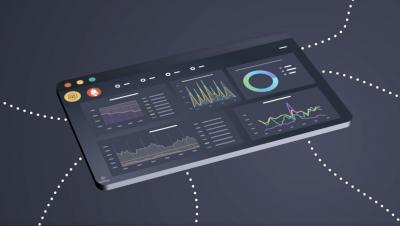
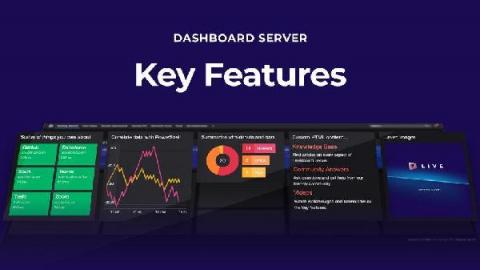
We recently launched the public preview of a new tool that lets anyone dashboard anything – for free. Meet Dashboard Server! You can download it free because we wanted to get our incredible dashboards in the hands of more people. The SCOM community know us well but our dashboards are perfect for so many use cases beyond System Center monitoring. And if you love them as much as we think you will, all we ask in return is that you share that love by spreading the word.

Logz.io Infrastructure Monitoring: Building Visualizations in Dashboards

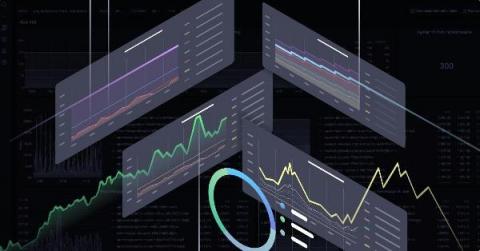
In a previous post I explained how to send metrics to Logz.io Infrastructure monitoring with Prometheus—now let’s analyze them by building Prometheus dashboards and visualizations in our metrics UI! Once you’ve started to send metric data to Logz.io, how do you visualize and interpret that data so that it’s useful for you? Logz.io Infrastructure Monitoring provides powerful querying and visualization of your data.

VirtualMetric Webinar Cloud Native Applications on VMware & Kubernetes

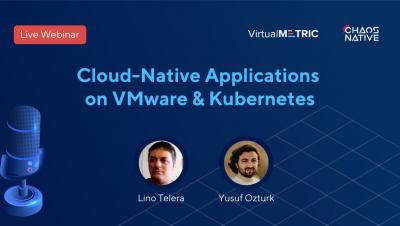
In this webinar, Yusuf Ozturk hosted Lino Telera to speak about Cloud-Native Applications on VMware & Kubernetes. You will learn about Kubernetes, the ways to deploy it, get CI/CD Pipeline example and even see a Live Demo. Speaker: Lino Telera, Cloud Architect at InfoCert S.p.A and Blogger at blog.linoproject.net, Cloud-Native Coach, 7 x vExpert and VMUG leader. What does it mean to build and deploy Cloud-Native Application today? Introduction to Kubernetes.

Rancher Online Meetup - March 2021 - Rancher KIM

Introducing Rancher KIM, the Kubernetes Image Manager. KIM is a proper Kubernetes client that installs and manages the back-end services required to support its focus on delivering a `docker build` (and related image management) compatible experience to your development workflow. This means you can download the KIM executable for your client platform and run `kim build --tag your/image:tag .`, just as you would invoke `docker build`, and have the image immediately available on your single-node K3s cluster. There's no need to push the image to an external repository nor export it to a tarball and then import it into K3s containerd.

Coffee & Containers - "3 Things You Should Be Doing in Cloud Native in 2021"

As we wrap up the first quarter of 2021, we wanted to talk about things we should be doing in cloud native for the remaining 3/4 of the year. Moving from traditional monolithic. architectures to a modern microservices approach has many benefits, but still has the greater majority of us baffled in terms of tapping into its full potential. 

Monitoring Windows Event Logs - Getting Started

Windows event logs are important for security, troubleshooting, and compliance. When you analyze your logs, you can monitor and report on file access, network connections, unauthorized activity, error messages, and unusual network and system behavior. However, Windows servers produce tens of thousands of log entries every day.