Operations | Monitoring | ITSM | DevOps | Cloud

What's New With Pingdom?

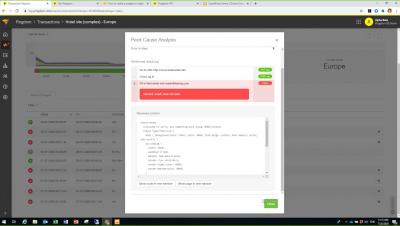
SolarWinds Pingdom is focused on making web application monitoring simple and easy to use, yet still powerful and affordable. In the past six months, we’ve made several updates we’re excited to share with you. These new features come at no additional cost and all customers regardless of tier level have access to them. The updates were launched with two main benefits in mind: ease of use and quick set up. We’ll walk through our latest updates from 2020 including.
Modernizing Network Operations: How to Check All the Boxes

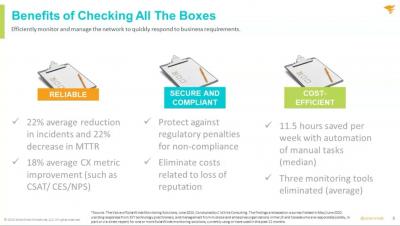
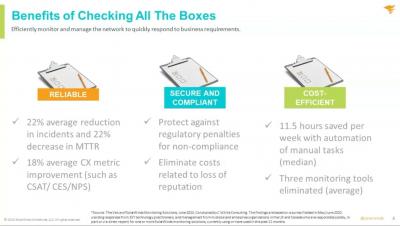
Stakeholders expect their network to be fast, prioritized for business, secure, compliant, and cost-efficient. With increased traffic, applications, and services and the complexity of networking technologies to support business needs, companies need a strategy to efficiently monitor and manage the network to quickly respond to business requirements.

Understand the End-User Experience With Holistic Monitoring

You’re expected to monitor the entire end-user experience, so you need to be able to do it all. SolarWinds can help. Together, SolarWinds Web Performance Monitor (WPM) and SolarWinds Pingdom can give you the holistic monitoring you need, especially with the recent integration we’ve announced. While WPM monitors the experience of the end users behind your firewall, Pingdom monitors the customers and prospects on the outside of it. With WPM and Pingdom, you can have a holistic view of the performance and availability of your various applications. We’ll show you the benefits of adding SolarWinds Pingdom, including the following.

Grafana 8.2 released: Dynamic plugin catalog, new fine-grained access control permissions, and more

Grafana 8.2 is here! This release marks the start of our work focused on measurable improvements to Grafana’s accessibility — part of our continuing mission to democratize metrics for everyone. The initial changes to Grafana in 8.2 are focused on navigation, with more to come. We’ll be sharing more about our accessibility roadmap in an upcoming blog post.

Automate, Group, and Get Alerted: A Best Practices Guide to Monitoring your Code - Part 2

Missed part one? Check out the full guide here. As companies grow, so do their products, teams, and the number of external tools. For engineers, that can mean code sprawl, data silos, notification fatigue, and some “what the…?” moments along the way as they try to make sense of it all.

Debugging CI/CD pipelines with SSH access

In my interactions at industry events like AWS re:invent and KubeCon, I talk with a lot of developers. Devs often tell stories of things that prevent them from working quickly and efficiently. Many involve frustrating interactions with sys admins, SREs, or DevOps colleagues. One story I have heard several times involves a conversation like this: dev: Hey, SRE team. My build is failing and I don’t know what’s happening with the app in the build node.

PagerDuty Integration Spotlight: Honeycomb

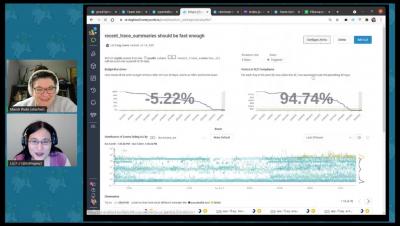
Honeycomb delivers observability for modern engineering and DevOps teams to observe, debug, and improve production systems efficiently. The PagerDuty + Honeycomb integration uses Honeycomb Triggers to notify on-call responders based on alerts sent from Honeycomb. This integration is maintained and supported by Honeycomb. Liz Fong-Jones from Honeycomb joined us live on Twitch to share more about how Honeycomb and PagerDuty can be used together to help your teams and to do some live investigation into Honeycomb’s own performance data.