Operations | Monitoring | ITSM | DevOps | Cloud

A Look at How the Cloud Has Streamlined Financial Management

In modern business, the role of technology has become increasingly pivotal, revolutionizing the way organizations operate and manage their resources. One of the most transformative technological advancements in recent years has been the widespread adoption of cloud computing. The cloud has not only altered the way businesses store and access data but has also significantly streamlined various aspects of financial management. This article delves into the multifaceted ways in which the cloud has reshaped financial management, making processes more efficient, cost-effective, and flexible.


Take Back Control of Your Workflows, Data, and Costs with Splunk Observability

Engineering and ITOps teams have an important mission: keeping their software and digital systems performing and reliable. But as we’re about to embrace a new year full of changes, industry shifts, and AI developments, this mission is challenged by increasingly complex environments, technology alternatives, and an overwhelming number of tools available. The result? Overages, tool sprawl, and toil, which all lead to longer times to detect and resolve issues.

Monitor HAProxy Metrics and Logs with OpenTelemetry [Step By Step Guide]

For extremely high throughput web applications, it is important to load balance the traffic across multiple servers. However, load balancing the traffic alone is not enough at times. The reverse proxy server that handles the workload needs to be performant, too. In our previous article, we discussed the NGINX reverse proxy server and understood how to monitor it. In this article, we set up monitoring for an even more performant reverse proxy server - HAProxy.

How to create an on-call policy and rotation in OneUptime?

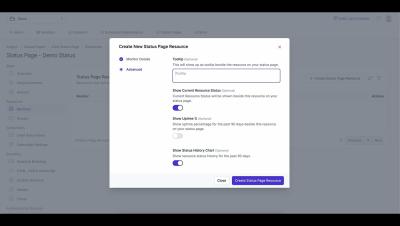
In this tutorial video, we walk you through the process of creating an on-call policy and rotation in OneUptime. We start by explaining what an on-call policy is and why it’s crucial for your organization. We then guide you step-by-step on how to set up a policy, including defining the policy name, setting the escalation rules, and adding users to the policy. Next, we delve into creating a rotation for the policy. We explain how to set the rotation length, start time, and participants. We also show you how to handle holidays and time-off requests within the rotation.

How to build workflows in OneUptime and integrate OneUptime with anything?

OneUptime is a complete open-source observability platform. It allows you to create workflows and integrate with over 5000 different services and products without writing any code. This integration capability allows OneUptime to connect with the rest of your software stack. Building workflows in OneUptime likely involves defining the sequence of operations that should occur based on certain triggers or conditions. These workflows can help automate processes, such as incident management, alerting the right people at the right time, and more.

FinOps and Cloud Cost Optimization #shorts #datadog #cloudservices

As companies scale, it’s become increasingly important to keep cloud cost management and optimization top of mind. In this talk, Yuval Yogev from Sygnia walks you through Sygnia’s optimization journey of cutting their total cloud costs in half. Yogev also shares insights into how you can optimize your own organization’s cloud usage and spend.

Backstage Developer Portal

Backstage, a development portal, allows developers to maintain constant vigilance over the health of their networks and services, no matter where they are deployed. This is invaluable to teams, as many different deployments across different environments need to be monitored to ensure security and compliance. Find out how to evaluate, implement, and succeed with Backstage in order to maintain your security perimeter and ensure that all deployments are working as intended.

Tradeoffs In Software Engineering

Tradeoff: a balance achieved between two desirable but incompatible features; a compromise. Schooling often promotes the idea that there is a right and wrong answer to questions… It does little to prepare us for how many times that there are multiple right answers and no definitive best path forward. In a time where we have unlimited information at our fingertips, you can throw a stone and hit a thousand people with an opinion.

A deep dive into CPU requests and limits in Kubernetes

In a previous blog post, we explained how containers’ CPU and memory requests can affect how they are scheduled. We also introduced some of the effects CPU and memory limits can have on applications, assuming that CPU limits were enforced by the Completely Fair Scheduler (CFS) quota. In this post, we are going to dive a bit deeper into CPU and share some general recommendations for specifying CPU requests and limits.