Operations | Monitoring | ITSM | DevOps | Cloud

The latest News and Information on API Development, Management, Monitoring, and related technologies.

Isolate a User Session in Datadog Synthetics with proxymock

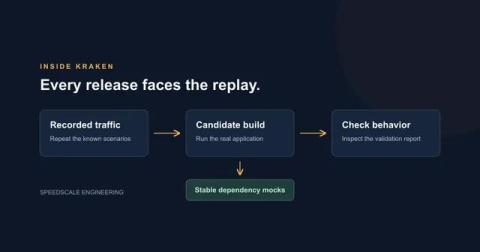
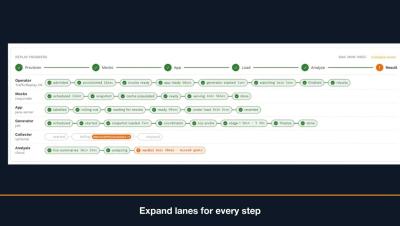
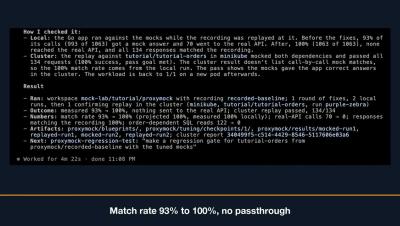
A customer pings support: “I tried to check out twice this morning and got a 500 each time, but it works fine for everyone else.” The session ID is in the email. You have full request/response capture in your environment, you have Datadog Synthetics already running browser checks against the same flow, and you still spend the next two hours grepping logs because none of those tools let you say “show me just this user’s requests, in order, and re-run them.”

Detect, Communicate, Resolve: Checkly's Agentic Workflow End-to-End

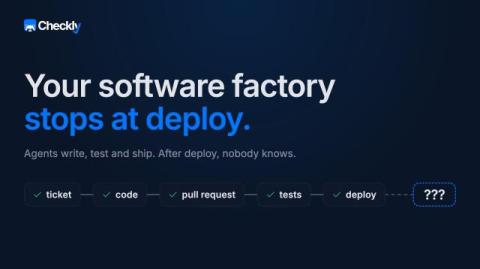
Coding agents are the fastest-growing audience for the Checkly CLI, and we're doubling down on them. In this session, Stefan hands Claude a real e-commerce app, lets it set up monitoring with `npx checkly init`, generate Playwright tests through MCP, and walk an actual alert end-to-end with Rocky AI in the loop.

Two AI agents, one incident: Rocky AI comes to the terminal

A Playwright Check fails at 2 am. The login flow is broken. Until today, that alert triggered a human to get up, open the Checkly dashboard, copy Rocky AI root cause analysis (RCA), and then tell an agent to get to work. There were two AI agents, one incident, and no way for them to talk to each other. The extended checkly checks and new checkly rca CLI commands close that gap. Your coding agent can now pull Rocky AI's analysis into its ongoing work, read the diagnosis, and go fix the code.

Connecting Agents for Real-Time Root Cause Analysis with Checkly's Rocky AI

Rocky, Checkly's AI agent, monitors production sites and provides an analysis for every failing check. Previously, a coding agent couldn't access this analysis, leaving incidents and agents disconnected. Now, you can access all the analyses via the Checkly CLI (or API) and tell your coding agent, "Hey, I got a Checkly alert. Please investigate!" With Rocky's structured analysis delivered inline, the coding agent can start with a strong hypothesis, fix issues, and propose a PR in one session.

Eliminate Manual Authentication Configuration for Fast & Effective API Security Scanning | Harness Blog

Application security testing tools promise coverage and accuracy, but teams often struggle just to get started. One of the biggest friction points in dynamic application security testing is configuring authentication correctly so a scanner can even access a target application, let alone API endpoints that power the functionality. Whether it’s API keys, bearer tokens, or custom auth flows, setting up authentication for scans frequently requires trial-and-error and engineering support.