Introducing RapidSpike Web Vitals Performance Dashboards
Introducing the new Web Vitals performance dashboards in the RapidSpike platform.

“So you get paged and wake up in the middle of the night, you don’t know what’s going on, and there you are needing to figure things out — What kind of tabs do I need open? Where do I find the logs? Where are the dashboards and the metrics?” If you’ve ever been on call, this refrain, voiced by Alexander Rösel, Senior Software Engineer at Ultimate, will sound all too familiar.
As more people and organizations adopt Prometheus and Grafana for observability, we at Grafana Labs want to make it easier for this expanding pool of users to answer questions about their systems, regardless of whether they’re experts or novices. That’s why we’re adding a feature to enhance metric browsing in the Prometheus query builder in addition to the metric select.
With every major release of Grafana, we strive to give our users a broader, more powerful and more streamlined set of features for data visualization. Grafana 10, unveiled this month at GrafanaCON 2023, is certainly no exception. From more intuitive navigation to updated plugin development tools, Grafana 10 enhancements benefit new and seasoned users alike.
Grafana dashboards enable millions of users to visualize and analyze their data. And working behind the scenes of the widely used open source platform is React, a frontend JavaScript library for building user interfaces. In this post — which was inspired by my recent presentation at React Summit 2023 in Amsterdam — we’ll explore why we chose to use React for Grafana, and the benefits and challenges we’ve seen along the way.
Grafana k6 v0.45.0 has been released, featuring a new experimental module for gRPC streaming support, a new browser recorder extension for Firefox and Chrome, and tons of improvements for Grafana k6 OSS and Grafana Cloud k6. Here’s a quick overview of the latest k6 release and all the news from the community.
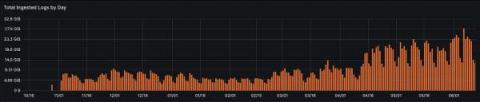
Looking to get started with log aggregation? Or perhaps take your logging game to a whole new, more advanced level? You’ve come to the right place. Grafana Loki is a key component of Grafana Labs’ open and composable Grafana LGTM stack (Loki for logs, Grafana for visualization, Tempo for traces, Mimir for metrics).
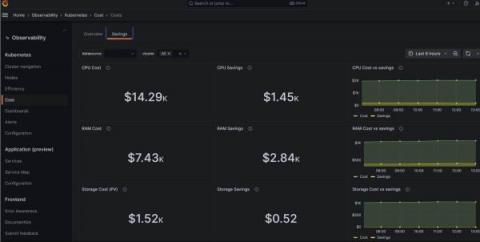
As your Kubernetes infrastructure — and your business — grows, so too does the headache of managing your stack. And since controlling costs is crucial for your organization’s well-being, you need visibility into your complex system to ensure you’re spending your money wisely. That’s why we’re excited to introduce Kubernetes cost monitoring as a new feature in Grafana Cloud.
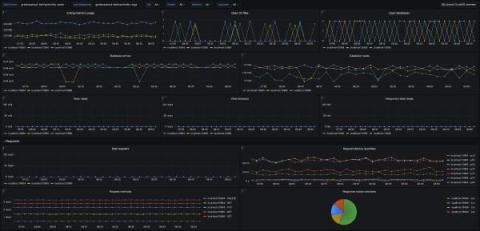
We’re excited to introduce a dedicated Grafana Cloud integration for Apache CouchDB, a NoSQL document database that stores data in a JSON-based document format. Known for its scalability, availability, and easy replication of data across multiple servers, Apache CouchDB comes with a whole host of features designed to make it easy to run resilient distributed systems, with built-in bi-direcitonal replication allowing for simple replication across multiple servers and data centers.