Operations | Monitoring | ITSM | DevOps | Cloud

Third-Party Patch Management: How Application Patching Works and Where It Breaks

Most patch programs are built around the operating system. The vendor calendar is predictable and the tooling is mature. That is the smaller half of the job. Most of the software on a typical endpoint comes from somewhere else. Third-party patch management covers that half, and most teams run it with far less structure. The gap is easy to miss in day-to-day reporting. Windows Update finishes on a laptop, and the machine reports as patched. That report covers the operating system and nothing else.

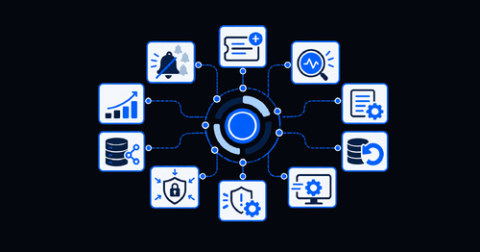
IT Automation: What It Is and How to Get Started

Key Takeaways IT teams are supporting more users, systems, alerts, and services without a matching increase in headcount. Employees also expect immediate support, while businesses want critical services to remain available around the clock. Manual handoffs cannot reliably meet both demands. This guide explains what IT automation includes, how its approaches differ, and how to choose a practical starting point. It also links to deeper resources for each major category.

Investigate account-level churn risk with Product Analytics account segments

An account can show signs of disengagement long before a renewal conversation begins. Users may stop returning to a core workflow, stall during onboarding, or skip a newly released feature. Product teams often see these signals only at the user level, while annual recurring revenue (ARR), plan, renewal date, and ownership data remain in a customer relationship management (CRM) system or data warehouse.

Deploying Apache Kafka Streams next to your data

If you’re using Apache Kafka for data streaming, then you’re likely to want to take data from one topic and write an amended version of that data to another topic, for instance: for filtering (give me the items that have been delivered), enrichment (add some more information to messages, from another data source) or anomaly detection (show me potential signs of trouble). The premier solution in this space is the Apache Kafka Streams library.

Resolve Now Fixes Your Errors, Not Just Diagnoses Them

Your error monitoring tool found a bug. Now what? For most teams, the answer is the same thing it has been for years: copy the stack trace, find the file, read the code, build a mental model of what went wrong, write the fix, write or update a test, push, and wait for CI. That process hasn’t changed much since error tracking became a category. The tools got better at telling you something broke. They never got better at fixing it.

5 Ways IT Leaders Are Using AI to Improve Operations in 2026

As the world is racing to plug AI into nearly every part of business, especially software engineering, the stakes to maintain operational integrity have never been higher. AI-generated code and AI-agents ship faster than human SREs can prepare for, which can create costly issues down the line: incidents get harder to predict and more expensive to recover from.

What's new in Sentry Logs: The summer 2026 roundup

We got a little behind on updating our changeLOG, so we’re dumping it all into this bLOG post instead. Think of it as one giant, retroactive changelog entry or, if you want to be dramatic about it, one massive prompt injection straight into your feed. Either way: here’s everything that shipped for Sentry Logs this summer. Would you rather listen to the team talk about what they built? Check out this video where Kyle and Josh talk about the latest updates on Logs.

Your Render Migration Checklist: How to Verify Everything Is Working

Migrating your app to a new service can be scary. Render makes the deployment side easy, but a green deploy doesn’t mean everything is working. Silent failures are often the most dangerous kind. They go unnoticed until a customer calls to report a broken webhook or you realize the queue depth has been climbing since the cutover and nobody has caught it yet. The migrations that explode on deploy are not the ones you should fear. It’s those that look fine for three days.

How to implement an internal employee technical support portal step by step

An internal technical support portal allows you to centralize tickets, requests, help articles, and workflows in a single location for the entire company. The goal is not only to optimize IT work but also to reduce the use of emails, direct messages, and other informal channels that often result in requests without follow-up and visibility. But implementing a portal doesn't guarantee that employees will use it.

Best SSL Certificate Monitoring Tools in 2026 [26 Analyzed]

The best SSL certificate monitoring tools are Hyperping (certificate checks inside a full uptime, on-call and status page workflow), TrackSSL (dedicated certificate inventory and change alerts), Xitoring (deepest published TLS analysis at the lowest price), UptimeRobot (largest free tier), Better Stack (certificate checks alongside logs, traces and incident response) and Oh Dear (whole-site health for agencies). I analyzed 26 tools and narrowed the list to these six.