Operations | Monitoring | ITSM | DevOps | Cloud

How to Extract Numerical Values from API Responses

Extracting numerical values from public or private JSON API responses can help you track and analyze data, easily spot trends, and alert on data that is important to your business. If you can passively have this information periodically come to you and if you can receive alert notifications when certain conditions are met, you can avoid checking each metric manually and – obviously – save a ton of time. Synthetic monitoring tools let you do these things automatically.

How to Troubleshoot Slow Web Applications With Sematext

Maintaining a smooth operation of your web application is crucial for the success of your business. When customers encounter performance issues while using your application, it will likely affect your business reliability and customer satisfaction. This can lead to churn rate increase which will cause a loss of revenue. As a Site Reliability Engineer (SRE) or DevOps professional, you would want to keep your product reliable for end users.

Technological Advances in Laser Engraving: How AI and Automation Are Changing the Game

Laser engraving has evolved rapidly over the past several years, driven by leaps in technological development. Notably, the integration of Artificial Intelligence (AI) and automation technologies is revolutionising the industry, enhancing efficiency, precision, and innovation in previously unimaginable ways. In this article, we explore how AI and automation are setting new standards in laser engraving, offering unique benefits to consumers and businesses alike.

Simplify Azure Monitoring with Logz.io's New Azure-Native Integration

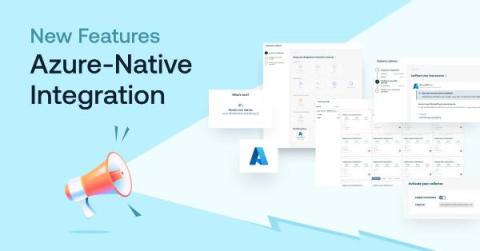
If you’re looking to monitor Microsoft Azure infrastructure with Logz.io, we’re now making it easier than ever with our new Azure-native integration Typically, collecting infrastructure metrics from Azure involves installing and configuring data collection components on your system, such as Prometheus, Telegraph, or a number of proprietary agents that are specific to different vendors.

How to Use PowerShell to Automate Office 365 Installations

In the fast-paced and demanding world of IT, every tool that saves time and simplifies tasks is worth its weight in gold. Today, we're going to explore how PowerShell scripts can be utilized to automate the installation of Office 365, a critical operation that can save you countless hours in the long run. In fact, with a well-written script, you can manage installations across an entire network from your desk.

Azure Active Directory vs Active Directory: What's the Difference?

There are many possible reasons why you may want to know the difference between Active Directory and Azure AD. Maybe you've just migrated from Microsoft Office to Office 365. You might be moving on-prem virtual machines into Azure. Or perhaps you're developing a greenfield cloud-native app that won't be connected to your on-prem resources at all.

MDR vs XDR: What's the Difference?

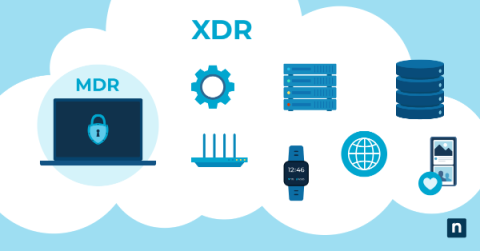
If your IT team is struggling to accomplish its lengthy to-do list, implementing detection and response solutions may be one step you can take to improve efficiency and reduce workload. Endpoint security solutions like Managed Detection Response (MDR) and Extended Detection and Response (XDR) can help you maintain and monitor your endpoints and other parts of your infrastructure, a very necessary capability in modern cybersecurity.

Detecting and Preventing Brute Force Attacks with PowerShell

While cyber threats are certainly continuously evolving, the fact is most intrusions still rely on basic, tried-and-true techniques. Who needs to burn a zero-day if guessing commonly used passwords or exploiting passwords used across multiple accounts can give you easy access? Brute force attacks continue to be an incredibly common threat that organizations face.

Cycle's New Interface, Part II: The Engineering Behind Cycle's New Portal

In our last installment, we covered the myriad of new UI changes added to Cycle’s portal. In this part, we walk through five of the tough engineering choices made when developing the new interface, discussing the alternatives that were considered, and shining a light on some of the technology our engineering team utilizes today.