Operations | Monitoring | ITSM | DevOps | Cloud

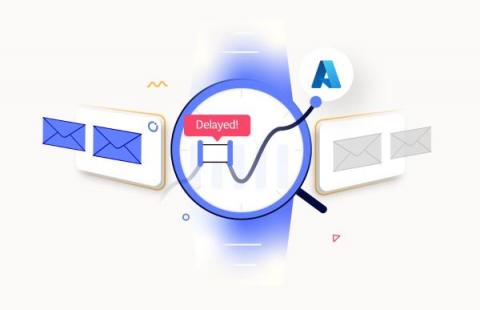
Microsoft Outlook on the web Outage, June 6th, MO572252

Yesterday’s Microsoft 365 Suite-wide outages, led to continual faults for Outlook on the web on Tuesday, June 6th. When the outages pile up, it becomes difficult to tell when one starts and the other ends. The latest: Can’t access Outlook on the web and other Microsoft services and features The prior day incidents began with EX571516: Some users are unable to access Outlook on the web, and may experience issues with other Exchange Online services.

How to Be a Target for Cybercriminals: Reuse Your Passwords

Tempting though it may be, you should never reuse a password. Every account should have its own complex, unique password or passphrase to reduce the risk of compromised credentials and account takeover attacks. Employees are often unintentionally responsible for data breaches, so organizations should ensure that their users have strong credentials that cannot be easily guessed.

New Preschool In Pleasanton Sign up today!

Searching for an exceptional preschool for your child in Pleasanton? Search no more! With a groundbreaking, all-encompassing method focusing on young minds, kids receive an outstanding life launch pad. By establishing solid learning groundwork and the caring support of passionate instructors, little ones reveal untapped capabilities while flourishing intellectually, relationally, and emotionally.

Beyond Machine Learning: Advantages of Ensemble Models for Interpretable Time Series Forecasting

Time series forecasting continues to be a critical task in many industries, including retail, finance, healthcare, and manufacturing. Traditional forecasting methods have been successful, but advancements in machine learning (ML) have sparked interest in using ML algorithms for time series forecasting. However, the complexity of exogenous events such as a pandemic and inclement weather, can make time series forecasting challenging.

Visualizing service connectivity, dependencies, and traffic flows in Kubernetes clusters

Today, the cloud platform engineers are facing new challenges when running cloud native applications. Those applications are designed, deployed, maintained and monitored unlike traditional monolithic applications they are used to working with. Cloud native applications are designed and built to exploit the scale, elasticity, resiliency, and flexibility the cloud provides. They are a group of micro-services that are run in containers within a Kubernetes cluster and they all talk to each other.

Cron Monitoring Now Supports Sentry SDKs, Multi-Environments, Timezones and More

Last year we introduced Sentry Cron Monitoring (beta) to help developers get code-level context and performance trends for their scheduled jobs. While Crons remains in beta, we’ve heard your feedback over the past few months and want to share some big improvements we’ve shipped. In this post, we’ll cover how we’ve simplified the setup process by integrating Crons into our SDKs and automating monitor setup for select frameworks.

Setting Up a Data Loop using Cribl Search and Stream Part 1: Setting up the Data Lake Destination

In the very first video of the series, we delve into the concept of a data loop and why it is beneficial to use Cribl Search and Cribl Stream to optimize the use of a data lake. The video gives a concise overview of Cribl Search and Cribl Stream, and how they work in tandem to create a data loop. We then provide step-by-step instructions on how to configure the Cribl Stream "Amazon S3 Data Lake" Destination to transfer data from Stream to an S3 bucket that has been optimized specifically for Cribl Search's access. Finally, we demonstrate sending sample data to the S3 bucket and present a before-and-after view of the bucket to showcase the impact of the test data.

Setting Up a Data Loop using Cribl Search and Stream Part 2: Configuring Cribl Search

In the second video of our series, we delve into the nuts and bolts of configuring Cribl Search to access the data that we've stored in the S3 bucket. The video guides you step-by-step through the process of configuring the Search S3 dataset provider by using the Stream Data Lake destination as a model for the authentication information. From there, we proceed to walk through the process of creating a Dataset to access the Provider that we've just established. To wrap things up, we demonstrate how to search through the test data that we've previously stored in the S3 bucket.

Setting Up a Data Loop using Cribl Search and Stream Part 3: Send Data from Cribl Search to Stream

The third video of our series focuses on utilizing Cribl Stream to manage data. The presenter takes us through the process of configuring the Cribl Stream in_cribl_http source in tandem with the Cribl Search send operator to collect data. We are able to witness live data results being sent from Search to Stream. Afterward, we demonstrate creating a Route in Stream to direct the incoming data from Search (via the in_cribl_http) Source to the Data Lake by using the Amazon S3 Data Lake Destination. This step employs a passthrupipeline to ensure that the data is not altered in transit.