Operations | Monitoring | ITSM | DevOps | Cloud

The latest News and Information on Continuous Integration and Development, and related technologies.

Create customizable experiences with CircleCI webhooks

Over the past 10 years, CircleCI customers have used our platform to customize their software development process. Orbs have helped standardize and scale CI/CD pipelines with reusable packages of configuration. The CircleCI API has allowed users to create robust internal tools for their developers and integrate with other products for more granular monitoring. As of today, CircleCI users have yet another way to react to events and customize their software delivery experience with webhooks.

Pipelines as Code

One of the reasons we define items as code is it allows for the programmatic creation of resources. This could be for infrastructure, for the packages on your machines, or even for your pipelines. Like many of our clients, at Codefresh we are seeing the benefits of an “everything as code” approach to automation. One of the great things about defining different layers in the stack as code is that these code definitions can start to build on each other.

Top 6 advantages of software as a service

Of the many challenges faced by modern enterprises, managing a remote workforce is near the top of the list. Keeping distributed teams organized, engaged, and happy is crucial in today’s highly competitive and globalized business environment. Providing reliable, secure, and cost-effective software tooling is just one piece of this increasingly complex puzzle.

GitLab CI

In today’s world of software development, one of the most emphasized practices is CI, or Continuous Integration. Continuous Integration is the first step of the CI/CD pipeline and acts as an enabler for the whole DevOps mindset and methodology. CI is the foundation of modern software development. Given the fact that this is the first stage of a proper DevOps setup, it’s crucial that it must be done correctly.

The Fast & The Foolproof: Automation & Observability For DevOps

When software teams are charged with delivering higher quality software, faster - how do you effectively enable collaboration and observability while eliminating risk and manual processes? In this webinar, Ali Sardar from JFrog and Rob Jahn from Dynatrace will address how to overcome these challenges and unlock speed, observability, and automation across your DevOps lifecycle. In addition to best practices shared by our speakers, you will also see both products in action - meeting the critical needs of development and operations teams.

Deploying your Gradle Build Cache Node using GCP

This tutorial is a follow-up to TurboCharging your Android Gradle builds using build cache . The key focus of this post is the remote build cache, a build speed acceleration technology that can be implemented for both local and CI builds. This is a technology worth knowing about because: Gradle provides a build cache node available as a Docker image. You can host this image in a number of ways.

Scanning Dependencies in your sources using JFrog CLI and Xray

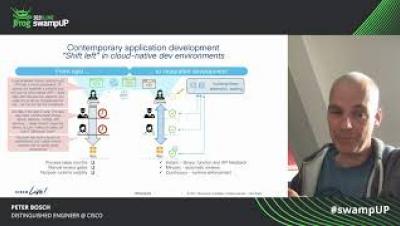
Security vulnerabilities and license violations should be found as early as possible and the earlier in the SDLC , the better. As part of the “ Shift Left ” vision, JFrog CLI and Xray now allow scanning dependencies directly from sources , on-demand, using a simple command line. This functionality allows benefiting from the same JFrog Xray vulnerability and license scanning capabilities, even before deployment to JFrog Artifactory.

The More the Merrier: Multi-Arch Docker Manifests with Buildx and Artifactory

The cloud native promise to be able to “build once, deploy anywhere” is nearly fulfilled. With containerization and Docker , we can build our applications and services for any environment, and set configuration at runtime. Well,… almost. Operating systems and apps still need to be compiled to execute on specific architecture types. Your software that’s been compiled for an AMD64 processor can’t run on an ARM-based machine, nor can one built for Linux run on Windows.