Operations | Monitoring | ITSM | DevOps | Cloud

Sponsored Post

Centralizing Vendor Outage Data in Incident Management Platforms

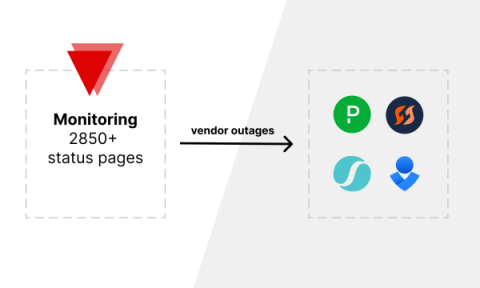
Digital operations are now the backbone of almost every business. The ability to respond to and manage incidents is more critical than ever. Incident management tools like FireHydrant, Opsgenie, SquadCast, and PagerDuty have become essential in helping companies minimize downtime and maintain operational efficiency. However, when vendor outages occur, integrating these incidents seamlessly into your management tools can be a challenge. This is where IsDown steps in.
Effective Monitoring and Alerting Strategies in DevOps

DevOps teams play a crucial role in ensuring the continuous delivery of software applications. One of the key pillars of DevOps success is implementing effective monitoring and alerting strategies. In this blog post, we will explore the importance of monitoring and alerting in DevOps, discuss best practices, and provide insights into building a robust monitoring ecosystem.

Export and Copy IP Address Data with Tidal's Enhanced Subnet Features

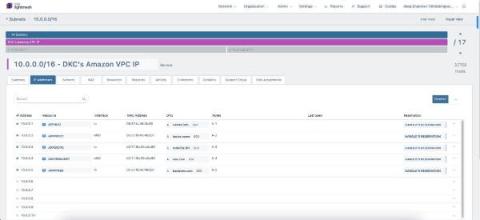
At Tidal, we’re always looking for ways to streamline IP address management (IPAM) tasks for our customers. That’s why we’re excited to announce the latest enhancements to our Subnet user interface (UI). With these new features, network administrators and owners can now easily export and copy IP address data, simplifying workflows and improving collaboration.

Turning Logs into Metrics with OpenTelemetry and BindPlane OP

Turning logs into metrics isn’t a new concept. A version of this functionality is implemented in most agents, visualization tools, and backends. It’s everywhere because converting logs to metrics has many practical applications and is one of the fundamental mechanisms for controlling log volume in a telemetry pipeline. In this post, I’ll briefly overview log-based metrics, explain why they matter, and provide examples of how to build them using OpenTelemetry and BindPlane OP.

A New and Redesigned Deployment Options

Today we have rolled out a change in the way you can configure each deployment of your application. Normally you deploy your apps, using the Deploy button on the top right corner of your application page. This will deploy your application based on the "default" Deployment Profile. You can also customize your deployment, using the "Deploy with Options" item on the deploy menu. With today's rollout, we've made improvements to this flow.

Last Day of The Quarter - Smooth Sailing?

You’re 24 hours away from the next quarter. Have you achieved everything in this one that you wanted to? Got a last-minute deal you need to get over the line? That’s ok, your favorite customer is just a quick video call away from signing on the dotted line – that’ll help you hit your target. Be a real problem if the call kept dropping out though – especially if they asked to reschedule. Oh, no, suddenly, your Teams is acting up!

Best practices for end-to-end service ownership with Datadog Service Catalog

In order to grow your organization effectively, you need to ensure the scalability of your systems. In a broad, distributed architecture, critical processes like incident triage, security response, and large-scale configuration changes can be difficult to execute without a programmatically accessible registry of what’s running in production and who owns it.