Showing the DNS score in your dashboard & an updated layout
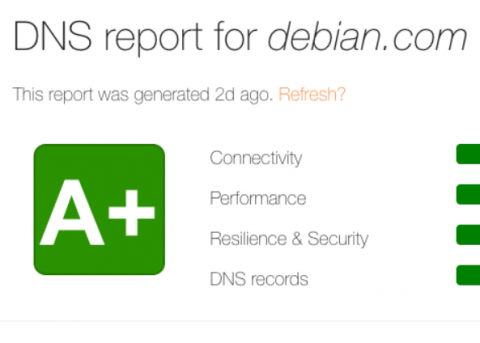
We just shipped a feature that’s been high on our list: a full implementation of the public DNS scoring system in your dashboard.


We just shipped a feature that’s been high on our list: a full implementation of the public DNS scoring system in your dashboard.
At PagerDuty, we’re counting down the days until the RSA Conference! Why? Because, in addition to being excited to see everyone there, we also have lots of new information to share—information in line with this year’s conference theme: Better. More specifically, how to improve security at your organization by having better processes and better collaboration.
The main news of this new 732 update package is the new Discovery functionality, which aims to make it much easier to deploy monitoring through the automatic discovery of various technologies. In addition, several tasks have been performed to improve the creation of PDFs, massive responses to events, as well as the synchronization of various elements in the Metaconsole.
When I first joined this startup that makes an observability platform, I was a front-end Javascript developer who had never ssh’ed into production–I didn’t even know what tracing or monitoring or metrics were, let alone what it meant for logs to be structured or how they could be useful to me. But within a couple months I joined the on-call rotation, and now share responsibility in our services along with the rest of my team.
Whether you’re a seasoned IT veteran or an up-and-coming rookie in the field, it’s key that IT teams understand how to develop the most effective processes and plans for on-call schedules and rotations. Let’s take a look at some best practices that IT pros can use to become all-stars on their on-call teams.
We’re thrilled to announce that for the second year in a row, 451 Research has positioned OpsRamp in their flagship Market Map report for Application and Infrastructure Performance. 451 Research recognized OpsRamp for its innovative use cases in four distinct performance management categories: Infrastructure Monitoring, Event Analytics, Alerting, and Synthetics. You can read an excerpt of the 2019 Market Map report HERE.
Views may seem straightforward at first, but they hide a lot of power. On a very basic level, a view is a shortcut to a specific search query or filter. You can use views to display only a subset of logs, create alerts and graphs, export specific events, and even embed your log event feed on another website. In this post, we’ll present several tips and tricks for making the most out of views.
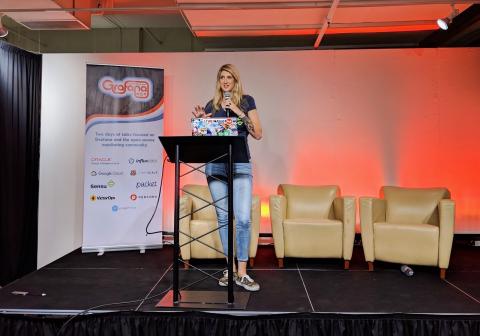
I recently gave a talk at GrafanaCon LA, which was heavily inspired by my blog post on check output metric extraction. During the talk, I dove into a popular monitoring use case with Sensu, InfluxDB, and Grafana — let’s call it the SIG stack . While I got to share some awesome features in Sensu that ultimately allow users to collect, store, and visualize their metrics, the conference was about Grafana, and folks wanted to see dashboards!
While trying to verify the claims made on a somewhat facile rundown of serverless security threats, I ran across Jeremy Daly’s excellent writeup of a single vulnerability type in serverless, itself inspired by a fantastic talk from Ory Segal on vulnerabilities in serverless apps. At first I wanted to describe how injection attacks can happen. But the fact is, the two resources I just shared serve as amazing documentation; Ory found examples of these vulnerabilities in active GitHub repos!
With the growing number of customers monitoring Azure in Datadog, we saw a great opportunity to help our users get faster visibility across their dynamic cloud environments. We’re happy to announce the release of new out-of-the-box dashboards for several Azure services.