Operations | Monitoring | ITSM | DevOps | Cloud

The latest News and Information on Monitoring for Websites, Applications, APIs, Infrastructure, and other technologies.

Top 5 ServiceNow Dashboarding Tools Compared

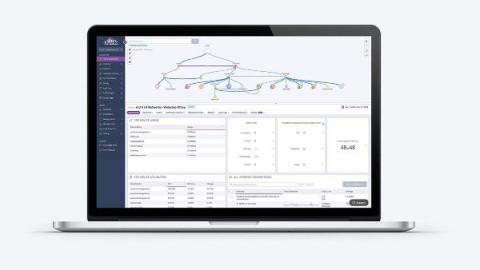
ServiceNow holds a wealth of operational data—but turning that data into dashboards people actually use is a different challenge altogether. Most teams start with what’s available out of the box. Then come the requests: At that point, dashboarding stops being simple. It then has to be “augmented” - with easy shareability, ease of use, contextualization and hierarchy.

ICYMI: Is This Code Worth Running? Here's How to Know

Over the last three months, we’ve been exploring what about software development and observability changes with AI, and what doesn’t. Our conclusion: these five principles will still remain true, even when 90% of the code is AI-driven. The agentic AI space is moving fast. Models are improving, context windows are expanding, and the ways people build and operate agents are changing so fast that any thoughts we share could feel dated by the time you read this.

Grafana Alerting: Respond faster and get situational awareness with alert enrichment in Grafana Cloud

Alerts are meant to help teams respond quickly to problems, but too often they arrive without enough context to be immediately useful. An alert that says “CPU usage is high” still leaves the on-call engineer asking critical follow-up questions: Which service? Which environment? Where do I look next? Validating the alert and triaging the situation is the first step for every engineer. It's a manual step that takes time, extending every potential incident.

TV Mode: Put Your Dashboards on the Big Screen

One of the most common requests we’ve gotten since launching custom dashboards is deceptively simple: “How do I put this on a TV?” Teams want their dashboards on wall-mounted screens in NOCs, war rooms, and open office spaces. The dashboard is already built. The data is already there. They just need a way to display it on a screen that nobody is logged into, without exposing the full Netdata Cloud interface. TV mode does exactly this.

Offline evaluation for AI agents: Best practices

If you’re building LLM-powered applications and agents, you’ve probably asked yourself: “How do I know if my changes actually made things better?” You can tweak prompts, adjust temperature settings, or try different models, but it’s not always easy to validate whether version B’s response is better than version A’s. Most teams fly blind in preproduction and rely on user feedback to see how well their application works in the real world.

Next.js Overview Dashboard: Monitor Performance Beyond Errors

Building with Next.js and using Sentry? Our team put together a dedicated Next.js Overview Dashboard that gives you a full picture of your application's health, not just errors. Out of the box, the dashboard covers page loads, API latency, issue counts, performance scores, rage and dead clicks, and slow SSR. Since Next.js runs on both client and server, you get a breakdown of client transactions, server transactions, and your SSR file tree all in one place.

Fewer Tools, Faster Fixes: A Practical Guide to Observability Consolidation

Most observability stacks aren’t designed, they accumulate. A logging tool here, a tracing platform there, and before you know it you’re managing rising costs and a setup that ultimately slows down your team. And you’ve moved further away from actually solving problems for your users.

User Feedback to Pull Request in Minutes with Cursor + Sentry

Cursor Automations + Sentry Triggers: go from user feedback to a pull request automatically. See how to set up an end-to-end workflow that turns feedback into code changes, posts the PR to Slack, and keeps your team in the loop. In this video, we walk through a real-world example using Sentry Docs. A user submits feedback through a widget on the docs site, it lands in Sentry as an issue, and when assigned, a Cursor Automation kicks off. The automation reads the feedback, validates it, generates a PR against the repo, and posts the link in the relevant Slack thread. No manual work required.