Operations | Monitoring | ITSM | DevOps | Cloud

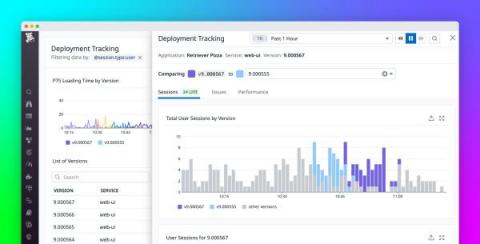
Troubleshoot faulty frontend deployments with Deployment Tracking in RUM

Many developers and product teams are iterating faster and deploying more frequently to meet user expectations for responsive and optimized apps. These constant deployments—which can number in the dozens or even hundreds per day for larger organizations—are essential for keeping your customer base engaged and delighted. However, they also make it harder to pinpoint the exact deployment that led to a rise in errors, a new error, or a performance regression in your app.

How to optimize resource utilization with Kubernetes Monitoring for Grafana Cloud

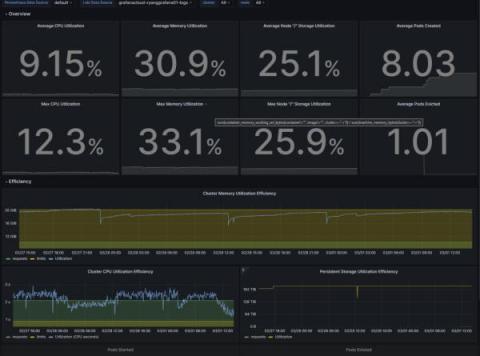
Overprovisioning or underprovisioning your Kubernetes resources can have significant consequences on both your budget and your app performance. By underprovisioning your Kubernetes infrastructure, you’ll end up with lagging, underperforming, unstable, or non-functional applications. On the opposite end of the spectrum, overprovisioning is a costly issue: Organizations spent almost $500 billion on cloud resources in 2022, yet an estimated 30% of those were wasted.

How to Monitor HTML Canvas for Load and Uptime

Before diving into how to monitor HTML Canvas, let’s define it. HTML Canvas is a powerful feature of HTML5 that allows developers to create and manipulate graphics, animations, and other visual effects using JavaScript. It’s a blank slate on which you can draw whatever you want, making it an excellent tool for creating interactive and dynamic web content.

Common Event Format (CEF): An Introduction

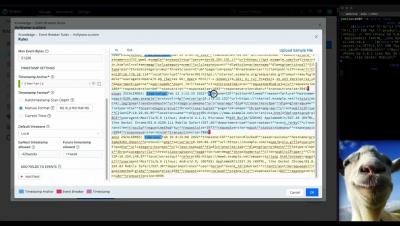
In the world of software engineering, monitoring and logging are two essential processes that help developers keep track of the performance and behavior of their applications. To facilitate this process, several logging formats have been developed over the years, including the Common Event Format (CEF). In this blog post, we will take a closer look at what the Common Event Format is, how it works, and why it is important.

Signals Report -xMatters Support

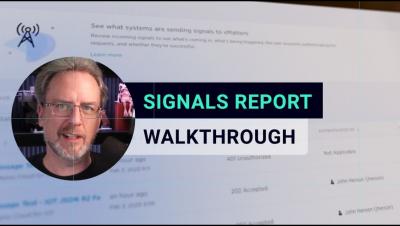
The Signals report helps you evaluate signals to your xMatters instance from HTTP, App, Email, and Incident Initiation and Incident Automation triggers (as well as some legacy inbound integrations). The report displays the timestamp, status code, and authentication details for each signal, as well as the payload and any related incidents, where applicable. Processed signals include outputs from the trigger and a link to the associated workflow so developers can further evaluate each request using Flow Designer's Activity panel.

10+ Best Status Page Tools: Free, Open source & Paid [2023 Comparison]

Communication with our users is very important. You want them to be aware of the new features that your platform exposes, exciting news about the company, but also about the status of the services that you are building for them. This includes information about all the functionalities and the infrastructure and applications behind them – when they work correctly and efficiently and when they don’t.