3 reasons you fail at communication in the workplace and how to improve
A no-BS guide for people who suck at communicating with coworkers. Which means you. Also, me.


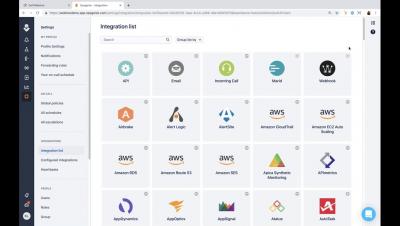
As IT and DevOps teams rely more heavily on third-party services, the likelihood of an external incident affecting your customers increases. The 2017 Amazon S3 outage comes to mind as a particularly large downtime event that took thousands of websites down with it. When things go wrong with either an internal or external service, the right people need to be alerted to properly respond to the issue and communicate with customers.
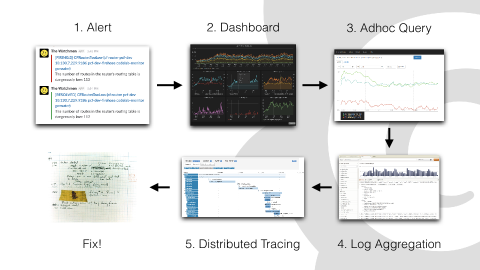
At KubeCon + CloudNativeCon EU this week, Grafana Labs VP Product Tom Wilkie gave a talk about Loki, the Prometheus-inspired service that optimizes search, aggregation, and exploration of logs natively in Grafana. In case you missed it, here’s a recap. Wilkie’s talk is an overview of how and why Grafana Labs built Loki and the features and architecture the team built in. Our policy is to develop projects in the open, so the design doc has been publicly accessible since development started.
Our fully managed Selenium testing platform allows you to continuously check your website to ensure it’s working as expected. Not just the fact that it’s online, but that your customers can perform tasks such as registering or adding products to the basket. We use real browsers, such as the latest versions of Chrome and Firefox and test from 18 global testing locations.
Over a year ago, we first announced support for Minidumps in Sentry, which allows you to debug crashes from applications written in languages like C, C++, Objective-C and more — regardless of whether you’re targeting Windows, macOS, Linux, iOS, or Android.
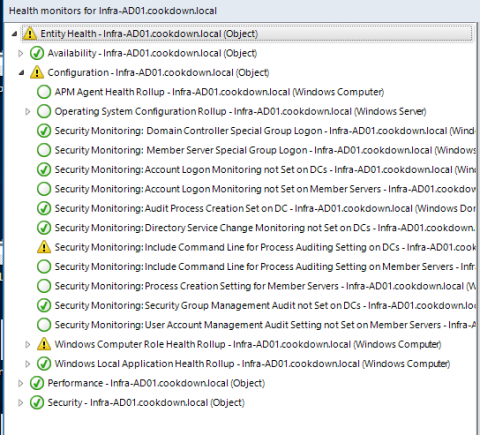
Resetting the monitor that triggered an alert is the best option in SCOM as it will allow the monitor to alert again, if needed. Working programmatically this is easy for alerts that are generated from a Unit Monitor. A Dependency Monitor can be more challenging, which is what we’ll address here. To properly reset your Dependency Monitor you will need to find the underlying Unit Monitor(s) and reset them.
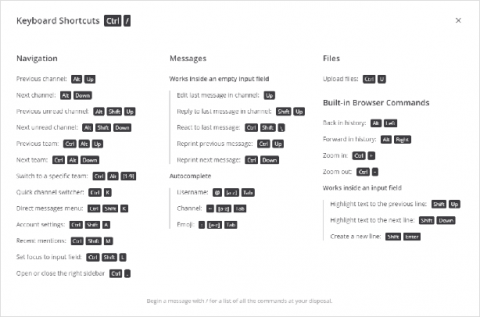
We use Mattermost every day, and our team has found many shortcuts and hacks to maximize our productivity. And since we spend the bulk of our days collaborating in Mattermost, we’ve found many ways to save time in Mattermost. Some of these shortcuts only save a few seconds. But when you’re doing something dozens of times a day, not only does a few seconds really add up, it can also keep you from getting distracted from more important tasks and decisions.