The latest News and Information on DevOps, CI/CD, Automation and related technologies.
Kubernetes has become the de-facto standard for deploying microservices and containerized applications. Still, there is a learning curve for a developer to get familiar with Kubernetes concepts and objects, how to write and manage the required YAML files, etc. While there is undoubtedly value in learning these concepts and tasks, I believe there is even greater value in getting your applications deployed faster and spending more time on your application code than on infrastructure-related objects.
This part 2 of a 3-part series on running ELK on Kubernetes with ECK. If you’re just getting started, make sure to checkout Part 1.
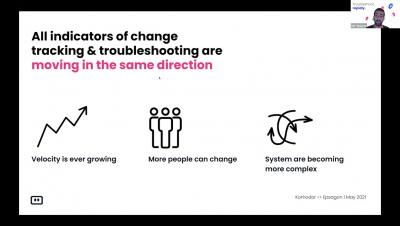
A typical modern DevOps pipeline includes eight major stages, and unfortunately, a release bottleneck can appear at any point: These may slow down productivity and limit a company’s ability to progress. This could damage their reputation, especially if a bug fix needs to be immediately deployed into production. This article will cover three key ways using data gathered from your DevOps pipeline can help you find and alleviate bottlenecks in your DevOps pipeline.
Elasticsearch is an open source, distributed document store and search engine that stores and retrieves data structures. As a distributed tool, Elasticsearch is highly scalable and offers advanced search capabilities. All of this adds up to a tool which can support a multitude of critical business needs and use cases. To follow are ten of the key Elasticsearch configurations are the most critical to get right when setting up and running your instance.
For complete visibility into the performance of your applications, you need telemetry data—traces, metrics, and logs—that describes activity across your entire stack. But if you’re using multiple monitoring tools, your data can end up in silos, making it difficult to troubleshoot issues that affect your user experience.
When investigating a complex system—or learning about it for the first time—you need to explore metrics, traces, logs, and other kinds of data. But as you navigate across different views of your data in dashboards, alert notifications, flame graphs, and so on, it can be hard to keep track of what you have already seen. When a potential issue comes up and time is tight, the last thing you need is to spend time remembering a crucial graph or finding the right browser tab.
Looking back at the unprecedented challenges we faced together in 2020, we’d like to extend our thanks to the community of people who have continued to work towards Netdata’s mission of simplifying monitoring and troubleshooting for everyone. Let’s review some of this year’s highlights.