Operations | Monitoring | ITSM | DevOps | Cloud

Monitor your Google serverless applications with Datadog

Google Cloud Platform is growing quickly, providing solutions for everything from cloud storage to managed Kubernetes to serverless computing. Since Google App Engine launched in 2008, Google’s suite of serverless products has expanded to help enterprises accelerate application development without having to manage or scale their own infrastructure.

Detect application abuse and fraud with Datadog

Protecting your applications from abuse of functionality requires understanding which application features and workflows may be misused as well as the ability to quickly identify potential threats to your services. This visibility is particularly critical in cases where an adversary finds and exploits a vulnerability—such as inadequate authentication controls—to commit fraud.

Sponsored Post

A guide to single-page application performance

Single-page applications (SPAs) present a unique approach to building web applications. They help to increase development velocity and can present big performance wins when it comes to delivering a fast and seamless user experience. Monitoring SPAs for performance still comes with a unique set of challenges, like choosing the most impactful metrics, gaining visibility into app performance over time, and knowing what metrics you can get from the browser. The main benefit of using SPAs is that a page does not need to reload when the content on the page changes. However, this feature, and the fact the page does not reload, is what makes it hard to monitor SPA performance.

Automatically create and manage Kubernetes alerts with Datadog

Kubernetes enables teams to deploy and manage their own services, but this can lead to gaps in visibility as different teams create systems with varying configurations and resources. Without an established method for provisioning infrastructure, keeping track of these services becomes more challenging. Implementing infrastructure as code solves this problem by optimizing the process for provisioning and updating production-ready resources.

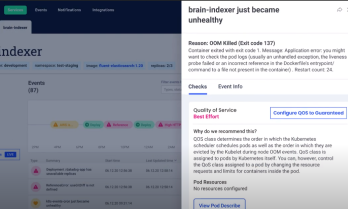
Kubernetes monitoring and troubleshooting made simple

Infrastructure monitoring was difficult enough when entire businesses ran off a few bare metal servers in a dusty, forgotten closet. Other IT infrastructure monitoring tools fell short, unable to provide complete and granular-enough metrics in real time, even when we were only dealing with a handful of systems responsible for running every part of the application stack.

The Value of Ingesting Firewall Logs

In this article, we are going to explore the process of ingesting logs into your data lake, and the value of importing your firewall logs into Coralogix. To understand the value of the firewall logs, we must first understand what data is being exported. A typical layer 3 firewall will export the source IP address, destination IP address, ports and the action for example allow or deny. A layer 7 firewall will add more metadata to the logs including application, user, location, and more.

From Distributed Tracing to APM: Taking OpenTelemetry & Jaeger Up a Level

It’s no secret that Jaeger and OpenTelemetry are known and loved by the open source community — and for good reason. As part of the Cloud Native Computing Foundation (CNCF), they offer one the most popular open source distributed tracing solutions out there as well as standardization for all telemetry data types.

How to search logs in Loki without worrying about the case

Whether it’s during an incident to find the root cause of the problem or during development to troubleshoot what your code is doing, at some point you’ll have an issue that requires you to search for the proverbial needle in your haystack of logs. Loki’s main use case is to search logs within your system. The best way to do this is to use LogQL’s line filters. However, most operators are case sensitive.

Why Experience Level Agreements for Microsoft 365 are Becoming a Business Expectation

When it comes to business, having a productive IT team means enhanced productivity. Understanding that productivity is a direct result of a good user experience is crucial. In this blog, we will examine what constitutes a good user experience and how experience level agreements for Microsoft 365 are becoming a business expectation. An effective Experience Level Agreement is a combination of different data sources.