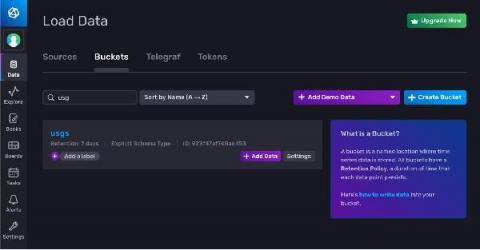
One of the best things about getting started with InfluxDB over traditional relational databases is the fact that you don’t need to pre-define your schema in order to write data. This means you can create a bucket and write data in seconds, which can be pretty powerful to developers who care way more about the application they’re building than the mechanics of storing the data.
Interlink Software’s capabilities have been gaining a good deal of industry analyst recognition in recent months. We’re pleased to announce yet more recognition; Interlink has been included on Constellation Research ShortList™ for“Using Artificial Intelligence in IT Operations (AIOps)”, Q3 2021.
How clear, complete, and colorful is your IT asset data? Is it like the picture below, where you see only a small portion of the bigger picture to answer important questions about your IT estate? Without color, you’re missing even more context. You need better IT asset discovery. Having a snapshot provides a limited view. It lacks context and is like managing your IT assets in silos. It’s cumbersome, inefficient, and ineffective.
Conviva is a platform that helps businesses gain real-time insight into the overall performance and playback quality of their streaming video content. With video streaming workflows, slow start-up times and playback errors can hinder user experience and ultimately drive customers away. With Conviva, you can view key Quality of Experience (QoE) metrics, including video playback failures, rebuffering ratios, and other business-critical data to help monitor and enhance your viewer experience.
Any software development project will almost certainly have through several tests by the time it is finished, especially in an Agile testing environment where testing and development occur simultaneously. But, no matter how many tests you've conducted, there's really only one way to tell if your software can handle the actual demands your army of end-users will be throwing on it once it's nearly finished. It's known as load testing.
Following best practices when logging helps make sure they contain the right information when needed. Some common best practices for logging errors in.NET are listed below.