Written by Nick Cavalancia, Microsoft Cloud & Datacenter MVP The need for visibility into service availability and delivery quality has led to the rise in interest in monitoring Microsoft’s Office 365 services from the user perspective. With two different approaches available, what value do they each bring?
From May 2021, Google is using ‘Core Web Vitals’ as a brand new ranking signal. Google states that business owners should monitor and improve their scores to avoid damaging their organic SEO. In this blog, we will explain how to improve Core Web Vitals scores. To discover the specific issues affecting your users’ experience, we strongly advise having a Core Web Vitals audit.
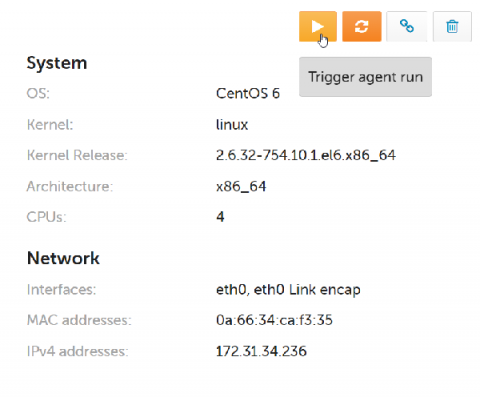
If you are debugging issues with a host, it is quite common to want to make changes to CFEngine policy, and speed up the process of fetching, evaluating and reporting for that host. You can do this by running cf-runagent and cf-hub from the command line, now we’ve brought this functionality into Mission Portal.
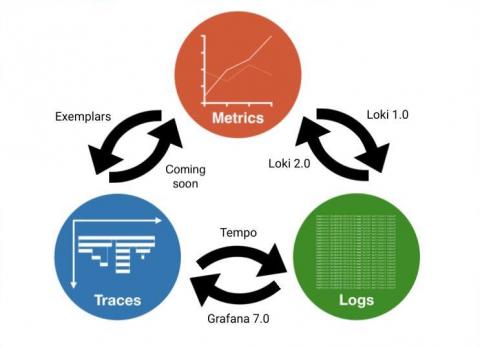
Exemplars are a hot topic in observability recently, and for good reason. Similarly to how Prometheus disrupted the cost structure of storing metrics at scale beginning in 2012 and for real in 2015, and how Grafana Loki disrupted the cost structure of storing logs at scale in 2018, exemplars are doing the same to traces. To understand why, let’s look at both the history of observability in the cloud native ecosystem, and what optimizations exemplars enable.
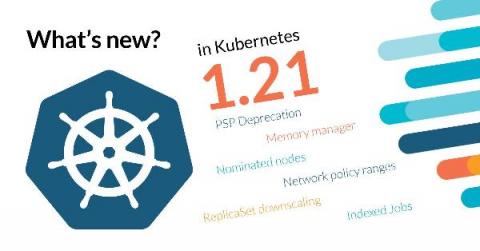
This release brings 50 enhancements, up from 43 in Kubernetes 1.20 and 34 in Kubernetes 1.19. Of those 50 enhancements, 15 are graduating to Stable, 14 are existing features that keep improving, and a whopping 19 are completely new. It’s great to see old features, that have been around as long as 1.4, finally become GA. For example CronJob, PodDisruptionBudget, and sysctl support.
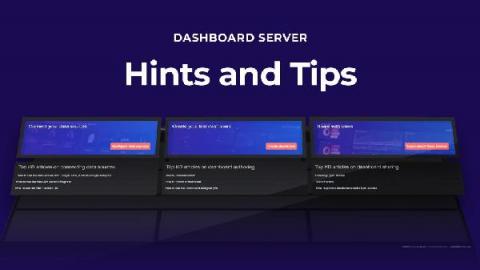
SquaredUp Dashboard Server lets you and your team create beautiful dashboards, for any tool or data, that you can share with everyone in your organization. Here’s a quick introduction to the product where we show you exactly what you can achieve, in no time at all. Let’s start with the three tabs on the top left of the screen: Getting Started, Next Steps, and Sample Dashboards. We’ll run through them one by one.
This article describes how to monitor a (cluster of) redis server. Bleemeo will detects automatically the redis server (it can runs in a Docker container or directly on the host) and create automatically a service dashboard. This article will also covers creating a custom dashboard with additional metrics.
As a YC alum and co-founder of Mattermost, I often get asked by early stage YC companies about what it’s like to build a commercial open source business. With the start-up’s permission, we’ve started recording some of the Q&A sessions, transcribing them and sharing the more popular questions on the Mattermost blog in short form articles.