Operations | Monitoring | ITSM | DevOps | Cloud

Start Kubernetes monitoring in 5 minutes with Netdata

While Kubernetes (k8s) might simplify the way you deploy, scale, and load-balance your applications, not all clusters come with "batteries included" when it comes to monitoring. Doubly so for a monitoring stack that helps you actively troubleshoot issues with your cluster. You need robust Kubernetes monitoring, but you don’t want to spend a week setting it up, much less a single valuable day.

Icinga for Windows: Management Console Preview (Experimental Feature)

Today we are very excited to share with you our new experimental feature for Icinga for Windows: The Management Console Our goal with this feature is to make the entire configuration and management of the Icinga Agent as well as the installation, distribution and automation as easy as possible - for all Icinga for Windows components. Let us know what you think about this feature!

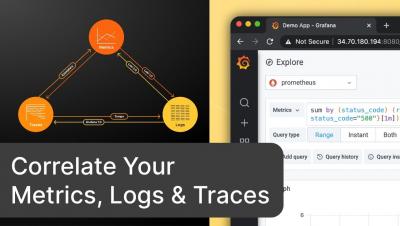
Correlate Your Metrics, Logs & Traces with the curated OSS observability stack from Grafana Labs

Correlation between metrics, logs, and traces should be as effortless as possible. This helps you make better decisions and actions. The Grafana Labs open-source observability stack enables powerful correlations between your metrics, log, and traces. The key here is to have consistent metadata across the three pillars of observability. Let me demo you how this works in this video.

Halp Conversational Ticketing for Slack

Workplace communication is shifting from email to messaging within communication platforms like Slack. With this shift, internal employees are becoming accustomed to requesting help or information using the platform where they’re already working. Adopting yet another tool causes overhead, increased context switching, and room for information loss. Halp offers employees a way to request service or ask for help directly from the tools they’re already using.

How to Monitor Microsoft SharePoint Online Performance

In this video, we’ll cover the basics of getting started with Exoprise CloudReady and how to set up your first sensor to monitor Microsoft 365 SharePoint from your own locations or behind the firewall. You will learn how to quickly install the management client, add a private site, deploy a SharePoint sensor and visualize the data in the CloudReady platform all in under 5 minutes. CloudReady supports deploying private sensors behind your firewall or public sensors in the cloud for synthetic transaction monitoring. Service watch, on the other hand, can be deployed for real user monitoring of remote user issues.