Operations | Monitoring | ITSM | DevOps | Cloud

The latest News and Information on Monitoring for Websites, Applications, APIs, Infrastructure, and other technologies.

Netdata Agent v1.25 and Cloud enhancements

The v1.25.0 release of the Netdata Agent delivers on our commitment to make our metrics collection, visualization, and troubleshooting platform more stable and usable. We enhanced our recently-added Prometheus collector with user-configurable filtering and grouping, made dramatic improvements to the reliability of the Agent-Cloud link that streams metrics on-demand to your browser when you use Netdata Cloud, and more. Let’s jump in and look at each improvement.

Netdata versus Datadog: root cause analysis with metric correlations

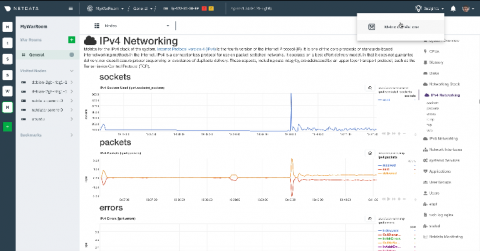
When an incident strikes, and every minute spent on root cause analysis delays the time to resolution, the real-world consequences can be dire. Troubleshooting an event requires a certain data set: every metric, at the greatest granularity, in one place, available in real time. Limits on the number or type of metrics, collection frequency, or time to visualization can mean the difference between timely resolution and unacceptable losses in time, money, and productivity.

Introducing our first Netdata Cloud Insights feature: Metric Correlations for faster root cause analysis

Today, we are excited to launch our first Netdata Cloud Insights feature, Metric Correlations, developed for discovering underlying issues more quickly and identifying the root cause more efficiently. Read on to learn more about our approach to developing this new feature, how it works, and the many benefits you’ll find incorporating this into your team’s troubleshooting workflow.

How we're making it easier to use the Loki logging system with AWS Lambda and other short-lived services

There are so many great things that can be said about Loki – I recently wrote about them here. But today, I want to talk about something technical that has been difficult for Loki users, and how we might make it easier: using Loki for short-lived services. Historically, one of Loki’s blind spots is ingesting logs from infrastructure you don’t control, because you can’t co-locate a forwarding agent like promtail with your application logs.

Top Reasons Why You Need a Digital Experience Monitoring Strategy

Your cloud application or service can look pristine from an IT perspective, while the end-user identifies it as “glitchy” and “unreliable”. Though the technical issues may not be your fault, it still impacts the user’s perception of your company and brand. Issues could spawn from the user’s device limitations, the browser version, or a regional public cloud outage that is causing the poor user experience.

Reimagine All You Have Learned: APM and the Skills Gap

APM tools have been formerly and primarily siloed in the application development arena, with only the most important and mission-critical applications having their APM instrumentation extended into production use due to complexity and cost. In the modern world of application monitoring, the requirements for Dev and Ops need to be tightly integrated.

Windows Server Monitoring with Pandora FMS

Pandora FMS is a proactive, advanced, flexible and easy-to-configure monitoring tool tailored to business itself. It adapts to all needs both in servers, network computers, devices and whatever is necessary. In this article, we will focus on Windows Server monitoring, using the software agent installed on our server.

Monitoring Java applications with Elastic: Multiservice traces and correlated logs

In this two-part blog post, we’ll use Elastic Observability to monitor a sample Java application. In the first blog post, we started by looking at how Elastic Observability monitors Java applications. We built and instrumented a sample Java Spring application composed of a data-access microservice supported by a MySQL backend. In this part, we’ll use Java ECS logging and APM log correlation to link transactions with their logs.

Manage Your Splunk Infrastructure as Code Using Terraform

Splunk is happy to announce that we now have a Hashicorp verified Terraform Provider for Splunk. The provider is publicly available in the Terraform Registry and can be used by referencing it in your Terraform configuration file and simply executing terraform init. If you're new to Terraform and Providers, the latest version of Terraform is available here. You will need to download the appropriate binaries and have Terraform installed before using the provider.