The latest News and Information on Monitoring for Websites, Applications, APIs, Infrastructure, and other technologies.
We have come a long way in the world of computing. From having computers that fill up entire rooms or buildings while performing relatively basic actions to having complex machines that literally fit in our pockets and palms, this advancement has been nothing short of breathless. With an emphasis placed on speed and efficiency, computers and the applications running on these computers have been tailored to ensure optimal use of resources, be these resources hardware or software resources.
The COVID-19 pandemic has been difficult for enterprises. Our CIO New Normal survey shows a litany of issues CIOs are dealing with. We discussed these challenges in our previous blogs here and here. But we also took note of the fact that some enterprises are actually doing quite well.
For decades, compute or server infrastructure has been the backbone of the IT world. Compute has gradually evolved from on-premise hardware to programmable compute in the form of software containers. Technology operators need to constantly monitor the performance of their Windows, Linux, and container infrastructure so that they can optimize their compute environments to match workload demands.
I think I have been reading way too many “doom and gloom” articles this year about IT. For many companies, the switch to a prolonged work-from-anywhere (WFA) model has exposed serious cracks within their IT infrastructure. To be honest though, the cards have been stacked against IT for some time and 2020 was just the tipping point. Employees often resist new work technologies and there’s mounting evidence to prove that IT tends to overestimate how well their services are received.
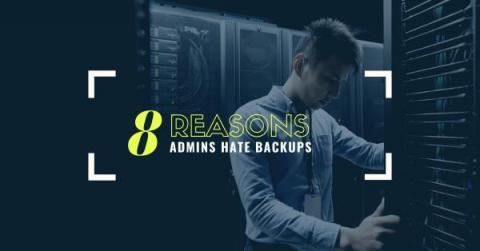
Many of us hate our backup environments. That’s because backups kind of suck, even with a backup product as great as IBM Spectrum Protect. As I said in another post, it’s the thing that everyone needs, but no one cares about, and most definitely can make your life crappy. Ask any backup admin, and I know they’ll agree. Go ahead; I’ll wait. Yep, they said the same thing, didn’t they?
In this post, we learn how to use the reduce(), findColumn(), and findRecord() Flux functions to perform custom aggregations with InfluxDB. This TL;DR assumes that you have either registered for an InfluxDB Cloud account – registering for a free account is the easiest way to get started with InfluxDB – or installed InfluxDB 2.0 OSS. In order to easily demonstrate how these functions work, let’s use the array.from() function to build an ad hoc table to use in the query.
At Splunk, we understand that a secure platform is a trustworthy one. We strive to implement a protected foundation for our customers to turn data into action, and part of that effort is giving you more frequent insight into the security enhancements that we’ve made to the platform. In this blog series, we’ll share the latest enhancements to Splunk Enterprise, review our security features in depth, and explain why these updates are important for you and your organization.
AWS Step Functions is a service that abstracts distributed applications into state machines, with each state representing a component of an application. Not only does this automatically generate an architectural diagram of your application’s workflow, it also makes it straightforward to reorder your states as well as implement parallel execution, retries, and other tasks.