Operations | Monitoring | ITSM | DevOps | Cloud

The Definitive ISO 27001 Checklist to Implement the Standard [+Free Download]

ISO 27001 is the top internal standard for information security. When carried through correctly, it protects your environment, and makes people feel safer when using IT equipment. That being said, implementing the standard is no small task; many organizations feel overwhelmed, as they don't know where to start, or struggle and feel lost during the process.

Querying InfluxDB Cloud with the Java Flight SQL Client

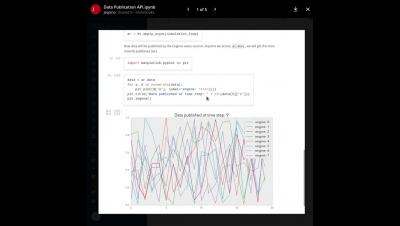
InfluxDB Cloud 3.0 is a versatile time series database built on top of the Apache ecosystem. You can query InfluxDB Cloud with the Apache Arrow Flight SQL interface, which provides SQL support for working with time series data. In this tutorial, we will walk through the process of querying InfluxDB Cloud with Flight SQL, using Java. The Java Flight SQL Client is part of Apache Arrow Flight, a framework for building high-performance data services.

Synthetics and Service Watch Dashboards

Combining Service Watch and CloudReady synthetics is easy to do and extremely powerful. Quickly pinpoint where the issues are occurring and skip the troubleshooting where the issues aren't which will speed up their resolution time, saving your organization money and time. Combining this information will also provide your app owners a quick and thorough view into how the user experience is going and how the application is performing in general. When issues do occur, they’ll have all the information available making it easy to prove the vendor is at fault and recover SLA credits

Full Overview: Reducing Web Server Logs (ex.NGINX)

Working with web servers such as NGINX, you know they’re efficient but can generate a lot of log data. While this data is valuable, sorting through it can be a challenge, and the storage and processing costs can quickly add up. In this tutorial, we’ll guide you through refining an NGINX log data stream using BindPlane OP. We’ll dive into how to extract valuable metrics and reduce log volume by filtering out unnecessary logs. By the end of this, you’ll be able to navigate your log analysis process more efficiently, saving time⏳and money💰.

How to Create QR Codes for Asset Management

Learn how to create QR codes for Asset Management on InvGate Insight, and associate them with your IT inventory assets. Managing an IT inventory can be challenging, but using QR codes for Asset Management is a great way to make it easier. Raise your hand if you never found yourself opening a bunch of identical laptops just because you didn’t have the serial number from the one you needed at hand. With QR codes, those days are gone. Using QR codes for Asset Management allows you to scan them and access the data associated with a particular device on your ITAM tool effortlessly.