Operations | Monitoring | ITSM | DevOps | Cloud

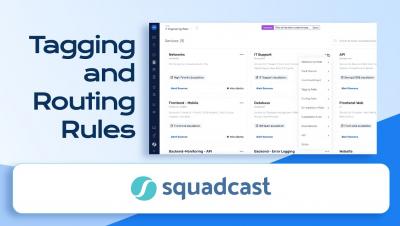
Tagging & Routing at Squadcast | Incident Management | Squadcast

Event Tagging is a rule-based, auto-tagging system with which you can define customized tags based on incident payloads, that get automatically assigned to incidents when they are triggered. Auto-add relevant information like priority, severity or alert type to make incoming incidents context-rich. Route alerts to the right responder(s) based on the tags they carry
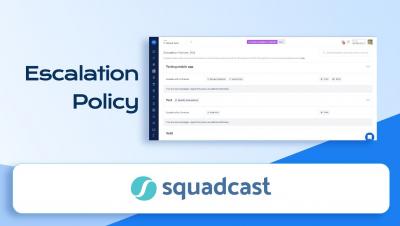
Escalation Policy I Round Robin & Advanced Escalations I Incident Assignment Strategies I Squadcast

An escalation policy is a collection of rules used to define how and when an incident should be escalated. In Squadcast an Incident escalation happens when a responder hands off the task/incident to another member, and this handoff is subject to specific rules. This video explains how to set up Escalation Policies, and Round Robin Incident Assignment Strategy in Squadcast.

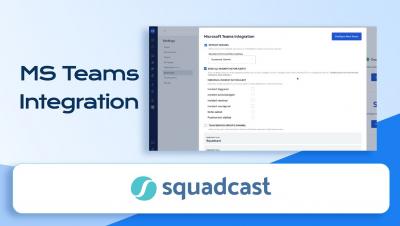
Integrating Microsoft Teams & Squadcast - Acknowledge, Resolve & Reassign Incidents | Squadcast

Teams using MS Teams can now integrate with Squadcast and easily Acknowledge, Resolve & Reassign incidents using MS Teams. You can configure Squadcast to send a notification to the configured MS Teams channel as soon as an incident is triggered.

Creating Routing Rules I Creating Incident Routing Flows I Alert Routing I Event Tags I Squadcast

Alert Routing allows you to configure Routing Rules to ensure that alerts are routed to the right responder with the help of event tags attached to them. This video explains how you can utilise Routing rules to create various incident routing flows.

Integrating Slack & Squadcast- Trigger, Acknowledge, Resolve & Reassign incidents from Slack channel

You can integrate Squadcast and Slack to collaborate efficiently with your team while working on incidents. Squadcast sends a notification to the configured Slack Channel as soon as an incident is triggered.

Alert Suppression Rules in Squadcast to prevent Alert fatigue | Squadcast

Alert suppression can help you avoid alert fatigue by suppressing notifications for non-actionable alerts. Squadcast will suppress the incidents that match any of the Suppression Rules you create for your Services. These incidents will go into the Suppressed state and you will not get any notifications for them.

What's new in Calico Enterprise 3.15: FIPS 140-2 compliance, new dashboards, egress gateway pod failover, and more!

Tigera provides the industry’s only active Cloud-Native Application Security Platform (CNAPP) for containers and Kubernetes. Available as a fully managed SaaS (Calico Cloud) or a self-managed service (Calico Enterprise), the platform prevents, detects, troubleshoots, and automatically mitigates exposure risks of security issues in build, deploy, and runtime stages across multi-cluster, multi-cloud, and hybrid deployments.

Provoking thinking: Why we launched Civo Navigate

At Civo, we have always sought to expand people’s understanding of technology. From setting up an academy to help people get to grips with Kubernetes to running developer events around the world, we firmly believe that the benefits of technology should be accessible to everyone. There is a growing global community in the tech sector that is focused on a new way of doing things. This community is united by a conviction that these changes must be done for the benefit of all.

Introducing our new API and Metrics servers upgrades

We are all about providing the best web deployment experience on the market. Working to ensure that our product is delivering the quality we promise with regular product updates and new features being introduced all the time. And that’s exactly why we’re here! We’re delighted to share the new version of our API server and Metrics server, designed to optimize transparency, crons, builds and sources operations control- to name but a few. Ready to find out more? Keep on scrolling.