The latest News and Information on DevOps, CI/CD, Automation and related technologies.
As an early stage company, one of our biggest priorities is hiring. In fact, we have two company goals this year and one of them is.
Digital transformation is accelerating rapidly to include virtually all enterprise functions. Organizations of all size, across all industries, are leveraging digital technology to enhance customer service and improve work efficiency. Integrating automation into core business functions has become a must to stay aligned with the ongoing digital revolution. The growing migration to the cloud has resulted in the distribution of company data and applications across multiple locations. This means that many complex business processes must leverage IT resources from the cloud and on-premises. This is where automation and orchestration can greatly improve the performance and efficiency of these complex tasks.
Scheduling is an integral part of software development practices. Tools for scheduling jobs help development teams save time by scheduling recurring tasks — like modifying a database or sending out periodic emails — for execution at specified times. There are many to choose from, including cron for Linux, scheduled tasks for Windows, launchd for macOS, Jobber, and anacron.
When I was making my first switch from a product engineering team to being field facing software engineer, one of my first projects was an integration project for a federal agency. The very first piece of enterprise software minus my productivity and development suite I was exposed to was BMC’s Control-M about 15 years ago. A lot of batch files to extract and transform data had to be run in order and on a daily basis; Control-M at the time was a job runner.
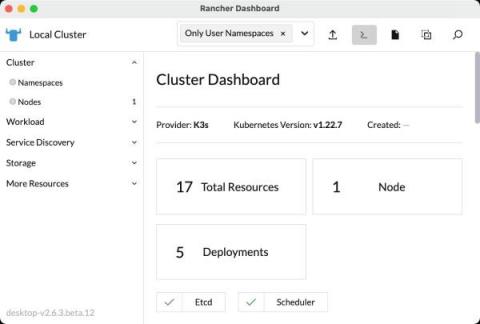
With the 1.2.0 release of Rancher Desktop, there are two new features available as a Feature Preview. Rancher, the multi-cluster Kubernetes manager, includes a dashboard which enables you see and interact with resources in a Kubernetes cluster. Rancher Desktop now includes this dashboard. The dashboard will enable you to view and interact with resources in your local cluster provided by Rancher Desktop.