Operations | Monitoring | ITSM | DevOps | Cloud

Continuous Monitoring: What Is It and How Is it Impacting DevOps Today?

Continuous monitoring (CM), also referred to continuous control monitoring (CCM), is an automated process that allows DevOps teams to detect compliance and security threats in their software development lifecycle and infrastructure. Traditionally, businesses have relied on periodic manual or computer-assisted assessments to provide snapshots of the overall health of their IT environment.

Optimizing Load Times on Apache Web Server on Digital Ocean With SolarWinds Pingdom

Introduction We all want the fastest application possible for our customers. At the same time, we’re under pressure to continuously add new features. These new features add complexity, which makes our application heavier, which in turn slows our applications down. So, how do we add new features, yet keep the performance of our application high?

3 WFH Struggles Service Desk and Remote Support Software Help Solve

It looks as though remote work will be a part of our lives for at least the foreseeable future. Even with some offices reopening their doors, don’t be surprised to see a change in work policies and a more open mind for a hybrid work structure. With this shift in our workplace reality, many organizations will be reliant on a service desk with integrated remote support software to address some of their biggest and most common struggles while working remotely.

Beware of QR Code Security Risks Lurking in User Mobile Devices

QR codes, those touch-free codes that look like square puzzles or mazes, seem to be everywhere these days. Gaining in popularity over the past few years, their proliferation has exploded with the onset of COVID-19 precautions. These wonder-codes make it easy for our mobile devices to quickly scan a menu, pay a bill, and find information about a product or service. QR codes blend the physical world with the virtual.

Choosing Azure Instances for Microsoft WVD: Community and Vendor Resources

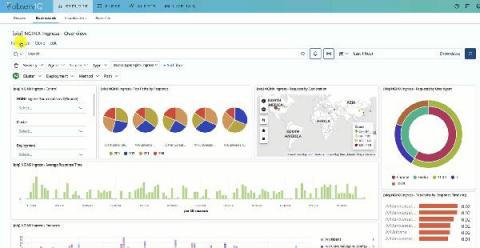
In an earlier blog, we had discussed what is Microsoft Windows Virtual Desktop (WVD) and why it is gaining popularity. In this blog, we present various community and vendor resources that can help you choose the right Azure instances for your Microsoft WVD deployment. Here, at eG Innovations, we offer a wealth of monitoring and simulation tools to allow you to monitor what real users are experiencing when accessing Microsoft WVD.

DEM and secure connectivity vendor offerings: the fox & the henhouse

A typical service delivery chain starts from the device and runs through the network and all the way through to the application. There are many things that can go wrong along the way! It’s critical to monitor that experience and quickly understand where issues occur, why they occur, and what can be done to remedy them. That’s where employee and/or customer Digital Experience Monitoring (DEM) comes into play.

What Is SaaS Finance? (Plus 12 Metrics You Should Be Monitoring)

One of the most important things SaaS companies need to think about in order to be successful is financial modeling. To succeed in the increasingly competitive SaaS space, finance teams need to carefully consider a wide variety of KPIs and find ways to effectively manage both present and future cash flows. Cash flows and liquidity are two of the most common challenges faced in this industry — if effectively addressed, your company can position itself for long-term success.

Proactive Monitoring in Digital Transformation Times

Pandora FMS is a proactive, advanced, flexible and easy-to-configure monitoring tool according to each business. Pandora FMS integrates with the needs of the business, being able to monitor servers, network equipment, terminals and whatever is necessary. In this article we will focus on monitoring using Pandora FMS, bearing in mind the new reality, which has arrived to stay, known as “Digital Transformation”.

The essentials of Windows event logging

One of the most prevalent log sources in many enterprises is Windows Event Logs. Being able to collect and process these logs has a huge impact on the effectiveness of any cybersecurity team. In this multi-part blog series, we will be looking at all things related to Windows Event Logs. We will begin our journey with audit policies and generating event logs, then move through collecting and analysing logs, and finally to building use cases such as detection rules, reports, and more.