Operations | Monitoring | ITSM | DevOps | Cloud

Under The Hood: Inside a Status Page Aggregator

StatusGator is a status page aggregator. We monitor the world’s status pages and provide a unified dashboard which tracks the status pages each user cares about. But how do we collect and normalize all this data? To get started with StatusGator, you choose the services you already use from our list. For each service, you select the specific components from their status pages that you depended on.


Gartner Publishes New Report: Six Smart Steps to ITSM Tools

Information technology service management (ITSM) tools streamline and regulate how IT services are delivered. ITSM tools include help-desk (e.g., ConnectWise Manage and ServiceNow) and monitoring software, providing smart ticketing capabilities and live system statuses, respectively. Unfortunately, Gartner Research reports that organizations tend to overbuy ITSM tools beyond their needs. For instance, organizations purchase unnecessary capabilities and features when adopting new ITSM technology.

AWS Batch: A Detailed Guide to Kicking Off Your First Job

There are always the kind of tasks that need to run periodically, either to analyze and process information (like fraud detection), or to simply do things like send email reports. But for that, we need to have a tool to schedule computer resources and, of course, the script. But what if we only need to worry about coding the script? Introducing AWS Batch. It’s a free service that takes care of batch jobs you might need to run periodically or on-demand. And you only pay for the resources you use.

What Is Log Collection? The Value of Unifying Your Logging

If you work in IT, especially on the decision-making side, then you should be aware of how vital logging is. When things go wrong with software in production, a solid logging approach often is the difference between hours of fruitless troubleshooting and an easy fix. Today, we’re here to talk about logging by covering a specific angle. Namely, we’ll answer the question, “What is log collection?”

Elastic Advent Calendar, 2019: the full recap!

Wow, it's finally here! After 25 fantastic articles we've reached the end of the 2019 Elastic Advent series. We've covered Elasticsearch and Python, Auditbeat, ECS, data transform, jvm options, anomaly detector models, Maps, SSL configuration, Smart query cancellation, data transforms, SLM, the new enrich processor, App Search, and so much more. In the topics we've spoken in German, Greek, English, French, Finish, Spanish and Swedish.

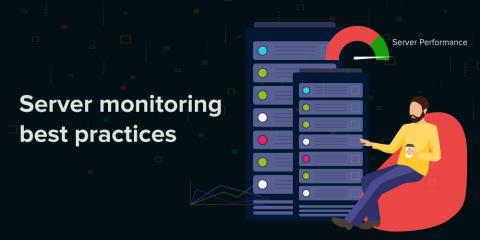
Server monitoring best practices for superior server performance

Server admins are tasked with keeping an eye on server availability 24x7 and ensuring all mission-critical applications are up and running; this includes monitoring CPU, memory, and disk performance. It's critical for server admins to understand how to effectively monitor server performance, as well as how to proactively troubleshoot issues.

G2 recognizes ManageEngine as a High Performer in the Unified Endpoint Management (UEM) category for Winter 2020

ManageEngine’s unified endpoint management solution,, Desktop Central, has been recognized as a High Performer and Momentum Leader in G2’s winter report for 2020. This is the second time in the past six months that Desktop Central has been named a High Performer in G2’s Unified Endpoint Management category.

Prometheus and Grafana: A Match Made in Heaven?

Prometheus and Grafana are two monitoring tools that, when combined, provide all of the information DevOps and Dev teams need to build and maintain applications. Prometheus collects many types of metrics from almost every variety of service written in any development language, and Grafana effectively queries, visualizes, and processes these metrics.

What is Server Monitoring? Beginners Guide to Server Performance Monitoring

Server Performance Monitoring is referred to as consistent monitoring of all network infrastructure, related to servers to analyse their resource utilisation trends & later on optimize it for a smooth end-user experience. Server Monitoring makes admins sure about server’s current state and whether or not it is capable of hosting business-critical apps, thereby offering you a complete view into the state of your system – whether it is working or not.

A 5-Step Recipe for Spot-On Alerts - That May Just Save Your Marriage

While checking in recently with one of Anodot’s newest clients, I got the sort of feedback that every product owner loves hearing. I asked, “During this past month, have you been able to check alerts triggered for your region? Do you use them? Do you have any feedback?” They replied, “The alerts are spot on. Thanks all.” The company then went on to adopt Anodot across more teams. So why are we so obsessed with alerts being spot-on?