Operations | Monitoring | ITSM | DevOps | Cloud

The Financial Services Automation Toolkit for Orchestrating Existing Automations with ITPA

The spike in pressure among the financial services industry is one that today’s organizations have to get in front of. When digital transformation, the demands for modernization, and fierce competition began in recent years, proactive approaches became the requirement. Companies that still react to change are likely to struggle in the current, trailblazing landscape, and they may even fail to reach business-critical goals.


Why Splunk customers face a choice for observability and modernization

Elastic Observability is fast, simple, and built for the future Businesses everywhere are facing a challenging environment: increased cost pressures coupled with high volumes of data generated by complex, distributed, cloud-native environments. As a result, teams need smarter analytics, access, and retention across all their data — instantly and from anywhere — to resolve issues, make decisions, and ensure resiliency.

Top 5 AIOps predictions for 2024

AI exploded onto the global main stage in 2023, and it could seem hard to read an announcement or article that didn’t mention AI once, if not a dozen times. Amidst all this hype, BigPanda CEO Assaf Resnick identified a real tipping point for AI adoption: lowered skepticism. “Over the last two or three years, AI has come into the public domain,” he explained.

Grafana 10.3 release: Canvas panel updates, multi-stack data sources, and more

Grafana 10.3 is here! Download Grafana 10.3 The latest version of Grafana brings advanced controls for anonymous access in your Grafana instance and new options for multi-stack data source configuration in Grafana Cloud. The release also enhances Grafana visualizations, with additions like pan and zoom for the canvas panel and updated tooltips for better data interpretation. Plus improvements in Grafana Alerting and log analysis capabilities provide more efficient monitoring and troubleshooting tools.

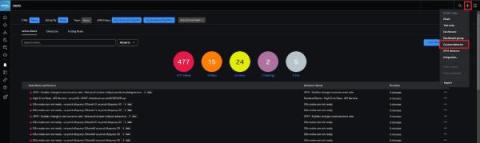
How to Customise Detectors for Even Better Alerting

In the previous blog, we introduced what makes a bad alert and how being able to simply customise and fine-tune your detectors is critical to creating great alerts. The first category of detectors in Splunk Observability Cloud that we dived into was the out-of-the-box offering called AutoDetect. Customising and subscribing to these detectors is a great way to get up and running straight away with industry best-practice alerts and bring down MTTx.

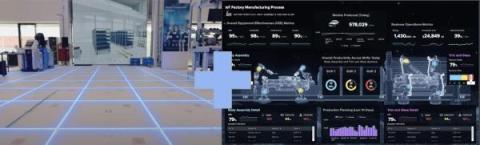
Building the NextGen Factory with Splunk and Bosch Rexroth

For centuries there have been many wise sayings on how to deal with disruptions and prevail amidst uncertain circumstances. Read on to learn how Splunk and Bosch Rexroth are building the next-generation factory to help manufacturers elevate their resilience and take advantage of new market trends and operating models.

How to Monitor Network Devices: From Routers to Switches

Welcome to the world of networking, where routers, switches, firewalls and other network devices reign supreme. From the backbone routers that facilitate data flow to the intricate web of switches managing local connections, maintaining a vigilant eye on your network devices is at the core of ensuring a high functioning network infrastructure.

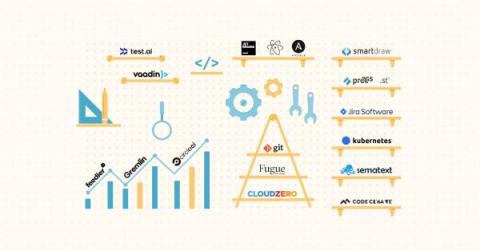
The 25 Most Crucial Software Engineering Tools In 2024

As a modern software engineer or CTO, you’re responsible for building, delivering, and maintaining high-quality software solutions at scale. Yet, software programs have grown increasingly complex over time, requiring meticulous work. The competition threatens to take your subscribers every billing cycle if you don’t constantly innovate, too. Customers want more, bigger, and better upgrades and updates.

The Ultimate Guide to Windows Event Logging

In a perfect world, there would be no issues with the operating system and no problems with the applications. Unfortunately, this isn’t a perfect world. System failures can and will occur, and when they do, it is the responsibility of system administrators to diagnose and resolve the issues. But where can system administrators begin the search for solutions when problems arise? The answer is Windows event logs.