Operations | Monitoring | ITSM | DevOps | Cloud

The latest News and Information on DevOps, CI/CD, Automation and related technologies.

Pain Killer, Not a Vitamin: What Actually Triggers a DCIM Vendor Switch

Organizations replace their DCIM vendor when an unresolved pain point becomes urgent enough to act on — not because a competing platform has a longer feature list. Understanding what those pain points actually are, for each type of stakeholder in the data center ecosystem, is the clearest way to predict where DCIM displacement is happening now and where vendor stickiness will hold.

Turn every branch into a production-like environment, automatically

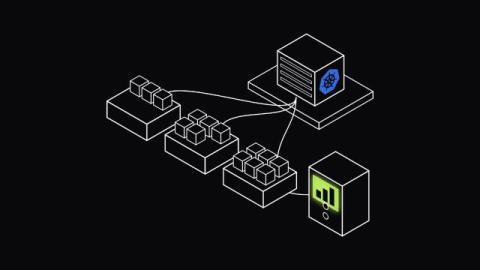
You push a branch. If your team is like most, that branch now waits: for the shared staging server to free up, for someone to remember to refresh the seed data, for whoever broke staging last to fix it. By the time you actually test your change, you're testing it in an environment that's drifted from production in ways nobody fully tracked. The alternative isn't a better staging server. It doesn't need one.

How task containers give AI agents real infrastructure without idle cost

Infrastructure for AI agents usually forces a choice between two bad options. A sandbox is safe but blind, cut off from the data and services that would make the agent's output useful. Full access means paying to keep a container idle between runs, waiting on a prompt that might not arrive for hours. Task containers, which Upsun released on August 12, 2026, are built to avoid that choice. A task container is a single-purpose container defined in a project's.upsun/config.yaml file.

Everyone Feels Faster. Almost Nobody Can Prove It.

What 554 developers and engineering leaders told us about AI, agents, and the measurement gap nobody’s closing. Ask a developer if AI made them faster this year, and 84% will say yes. Ask their VP to put a number on it for the board, and 39% will have nothing to show. That gap, not adoption, is the real story in engineering right now.

Why artifact management can't stop at npm and Python

npm and Python get all the security attention, but attackers don't limit themselves to your highest-volume formats. A Docker image, a Helm chart, or a Rust crate can all be an entry point. If your security policy is built around the formats you use most, the formats you've deprioritized become the blind spot. This video breaks down why artifact management needs to be centralized across every package format, not just the popular ones.

Teneo Managed DEX: How to Resolve Microsoft Teams Issues Faster

See how Teneo Managed DEX helps IT teams identify and resolve Microsoft Teams issues faster, often before they become another service desk ticket. In this Managed DEX example, Teneo shows how Digital Employee Experience (DEX) monitoring and automated remediation can help detect a Microsoft Teams problem, take action and get the employee back to work faster. Teneo Managed DEX helps organizations.

CAASM in Action: Continuous Cyber Asset Management with Teneo & ThreatAware

See how Teneo’s CAASM solution, powered by ThreatAware, helps security teams continuously manage and monitor their cyber asset landscape. In this short demo, discover how ThreatAware makes it easier to create focused asset views, identify areas that need attention, and schedule reports to keep teams informed, helping turn cyber asset visibility into ongoing action. Teneo and ThreatAware bring your security data together to help you uncover gaps, improve cyber hygiene, and reduce risk across your attack surface.

Building AI SRE Agents, Part 2: Leave the Laptop, Earn Trust

Moving the agent off your machine and pointing it at real clusters — read-only, in shadow mode — then climbing a trust ladder toward carefully scoped action. This is the second article in a three-part series on taking an AI SRE agent from a weekend experiment to enterprise production. Part 1 built a local agent on a throwaway cluster: read-only, propose-only, refined against a small eval set, with portable skills and no production write access.

Shipped: Explorer refresh: show more, scroll less

CloudZero Explorer answers a cost question in two parts. The chart shows what your spend did and the table underneath shows which service, account, or team did it. Until now, the chart pushed the table below the fold, and actions like creating a View or checking Anomalies were buried multiple clicks deep. Now the chart and table share the screen and a new right rail puts Favorites, Views, Anomalies and Insights one click away without covering your data.